
You don’t need studio headphones to get the most out of binaural beats. You need a pair that sends a separate signal to each ear, fits comfortably, and doesn’t mess with the audio. Here’s what to look for, and the phone setting that quietly ruins binaural beats for a lot of people.
Why headphones matter at all
A binaural beat only exists when your left ear hears one tone and your right ear hears a slightly different one. Your brain combines them into a beat. Speakers mix both tones in the air before they reach you, so the effect disappears. (More in what happens in your brain when you listen.)
If you can’t use headphones, isochronic tones are the alternative. They work on a speaker. Here’s how they compare.
What actually matters
- True stereo. Almost every pair qualifies. Avoid single-earbud setups.
- Comfort. You’ll wear them for 20 minutes or more. Comfort beats audio specs.
- Clean low and mid tones. Most binaural beats sit between about 100 and 300 Hz. Any decent pair handles that.
- Low noise. No hiss or crackle when nothing’s playing.
Price barely matters. A $20 pair of wired earbuds works fine.
The best style for each use
For focus and work
Over-ear or noise-cancelling headphones. Blocking outside noise makes a huge difference. This is how I use the app most. I have ADD, and noise-cancelling headphones plus a focus tone help me block out distractions and stay centered.
For sleep
Soft, low-profile earbuds or sleep headphones built into a headband. Over-ear headphones are uncomfortable on a pillow. More in How to Use Binaural Beats for Sleep.
For meditation
Whatever is most comfortable sitting still. Many people like open-back headphones for a more spacious sound.
Wired or Bluetooth?
Both work. Bluetooth is fine for binaural beats as long as it’s a proper stereo pair. Wired headphones avoid battery and connection drops, which is nice for long sleep sessions.
Settings that can cancel the effect
- Mono audio. An accessibility setting on many phones that sends the same sound to both ears. It completely erases a binaural beat. Check your phone’s accessibility or sound settings and turn it off.
- Left/right balance. Make sure it’s centered.
- Spatial audio, surround or “3D” effects. These can blend the left and right channels. Turn them off for binaural sessions.
- Heavy EQ or bass boost. Flatter is better.
Bone-conduction headphones
These sit on your cheekbones instead of in your ears. Sound travels through bone to both inner ears, so the left/right separation is weaker. If binaural beats don’t seem to work with them, switch to regular headphones or try isochronic tones.
Quick setup checklist
- Headphones on, the right way around (L and R matter less than you’d think, but match them anyway).
- Mono audio off, balance centered, spatial effects off.
- Volume low.
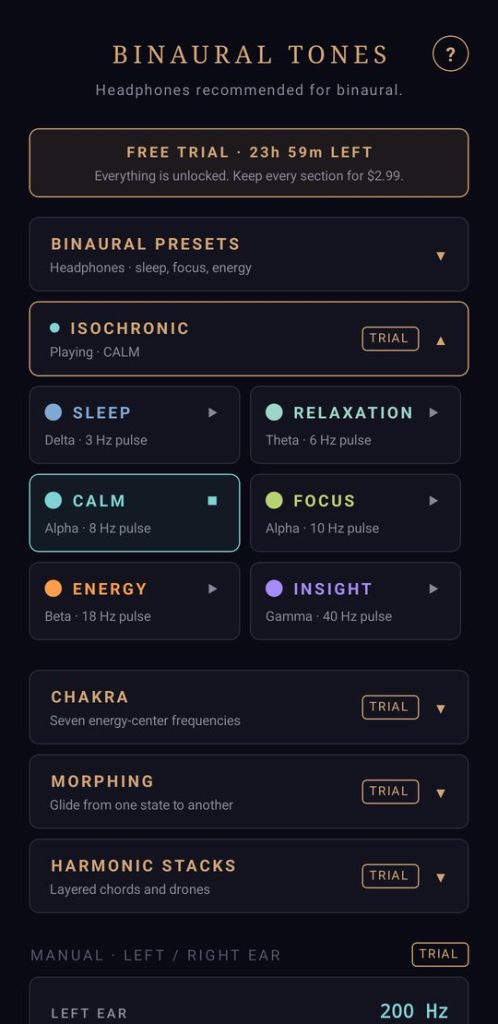
- Start a Focus or Relaxation preset and listen for the gentle pulse.
Try it yourself
You can hear a five-second sample of every preset, free, on the Try It page. If you want the full experience, download Binaural Tones on Google Play. Everything is unlocked for your first 24 hours. Try everything, then let me know what you thought.
Binaural Tones is a relaxation and focus aid, not a medical treatment. This post is general information, not medical advice. If you have epilepsy or any condition affected by sound, check with your doctor before using it.